



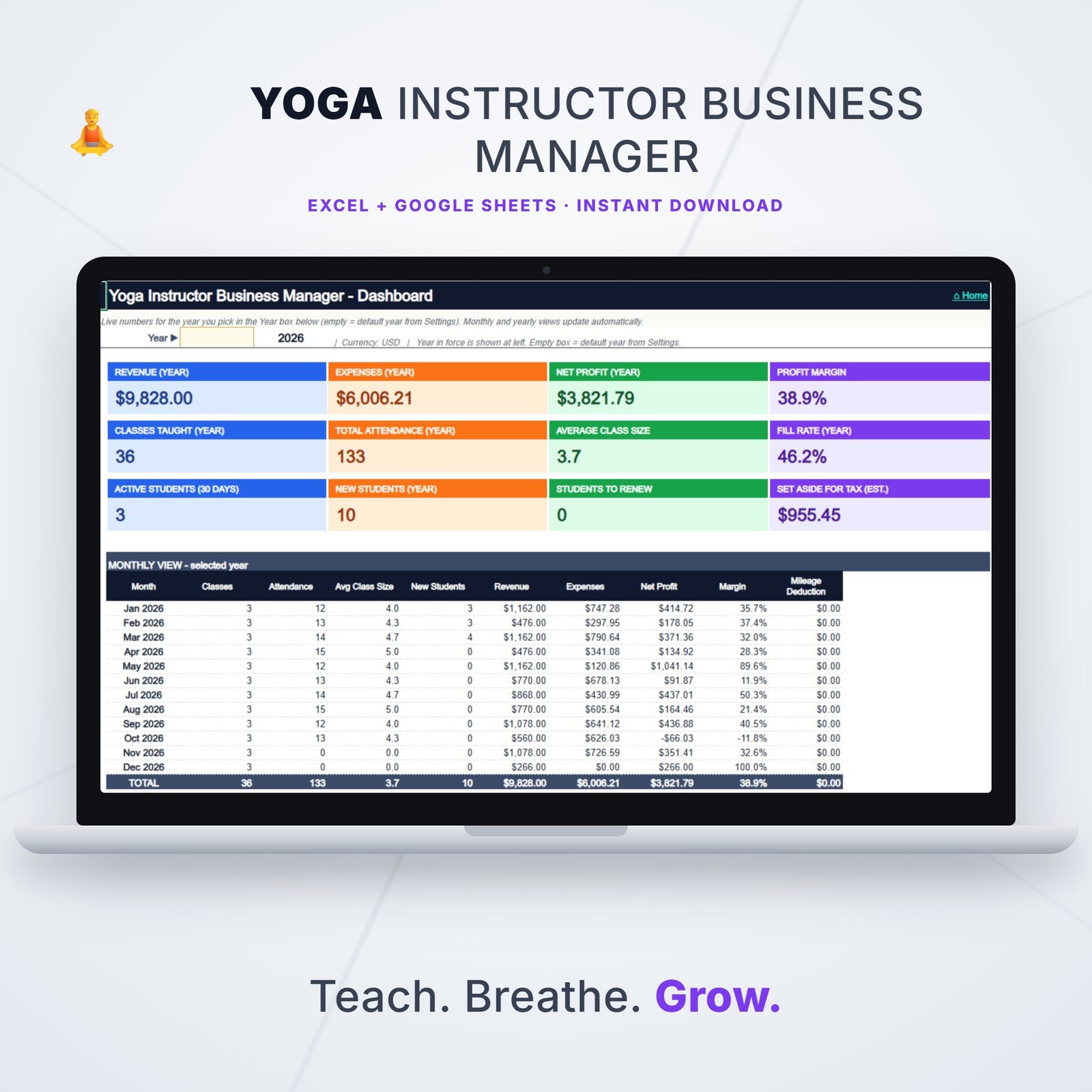
Teach with peace of mind. Know who has paid, how many classes are left on every pass, and when to follow up before a student drifts away.
What it does for you
- Class Types with capacity and drop-in price, so you see how full each class is
- Income for drop-ins, class passes and memberships, with pass expiry dates and receipt numbers created for you
- Attendance that takes a class off the student’s pass automatically
- Pass Status (active, expired, renew) and student status (active, slipping, lapsed), with renewals counted on the Dashboard
- Student Profile with one student’s full history on a single page
- Expenses and mileage log with the tax deduction worked out for you
- Print-ready receipts
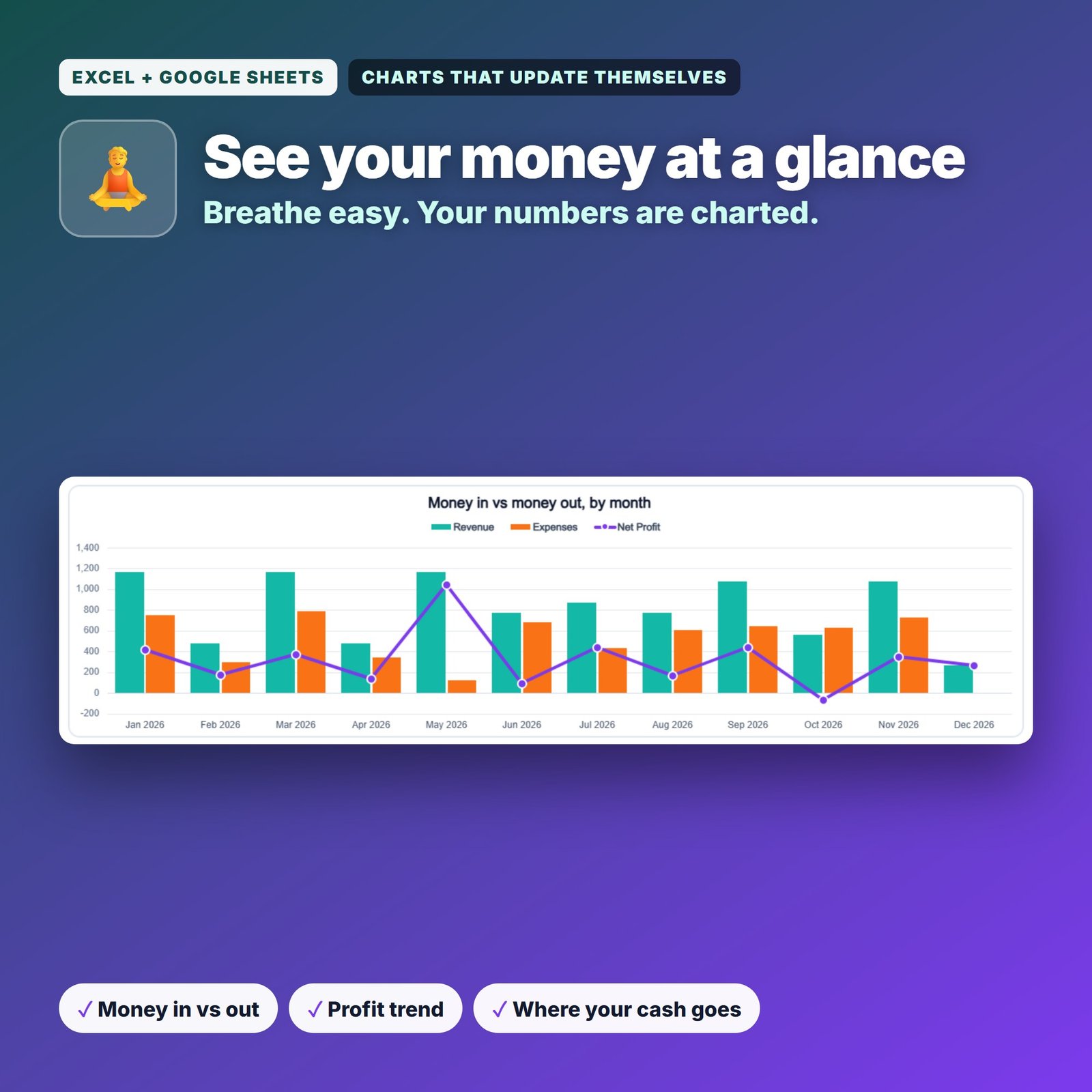
- Dashboard with monthly and yearly income and profit, plus a Tax Summary for your accountant
- Find tab that searches every table at once
What is inside (16 tabs)
Home · Start Here · Dashboard · Students · Class Types · Sessions · Attendance · Income · Expenses · Mileage · Student Profile · Print Receipt · Tax Summary · Find · Lists · Settings
Works everywhere
- Runs in Microsoft Excel on Windows, Mac, iPad, iPhone, Android and Excel for the web. There are no macros, so it opens safely on every device.
- Choose your currency: USD, EUR, GBP, CAD, AUD, INR, JPY, MXN or GHS.
- Formulas are protected so they cannot be broken by accident. Your entry cells stay open.
- Holds years of records. The Start Here tab walks you through setup in about 5 minutes.
- Google Sheets and Apple Numbers can open it but may lose dropdowns and protection. Use Excel for the full experience.
What you get
One Excel file (.xlsx), ready to download straight after checkout. Re-download any time from My account.
Tax and profit figures are estimates to help you plan. Confirm them with a qualified accountant or tax professional.



Reviews
There are no reviews yet.